Using the ipykernel in Jupyter Notebook
Go to VACC Open OnDemand, bring up
the JupyterLab / Jupyter Notebook form and select Jupyter Notebook
mode.
Once your Jupyter notebook has started, you should see the name given
to your virtual environment (in this example, my_bio_env) listed as
an available kernel under the ‘New’ pull down menu.
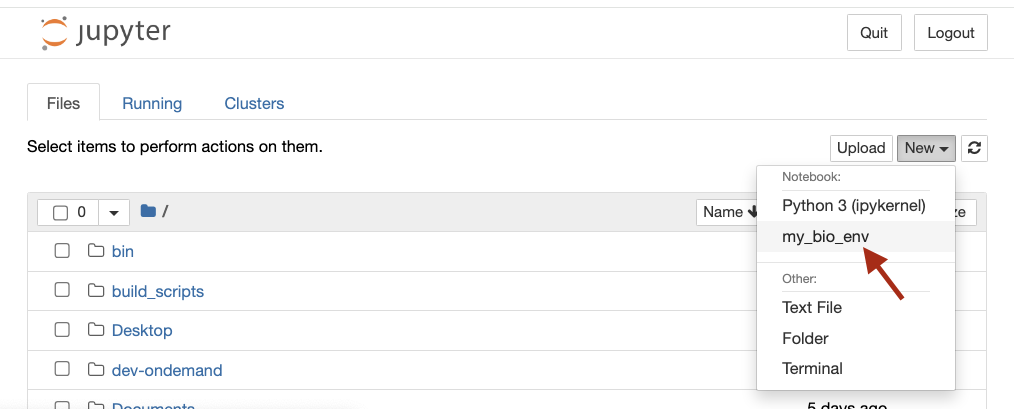 Screenshot of Jupyter Notebook showing the installed kernel as an option in the "New" dropdown menu.